
MICROSOFT WORD ADD-IN
JURIQA'S AI INSIDE THE DOCUMENT YOUR CLIENT SENDS YOU

Bring AI intoMicrosoft Word
Most of what arrives from a client or counterparty arrives as a Word file. Reviewing and revising that document has always meant working in Word while separately consulting whatever research tool or AI assistant the firm uses. The context switch adds friction every time.
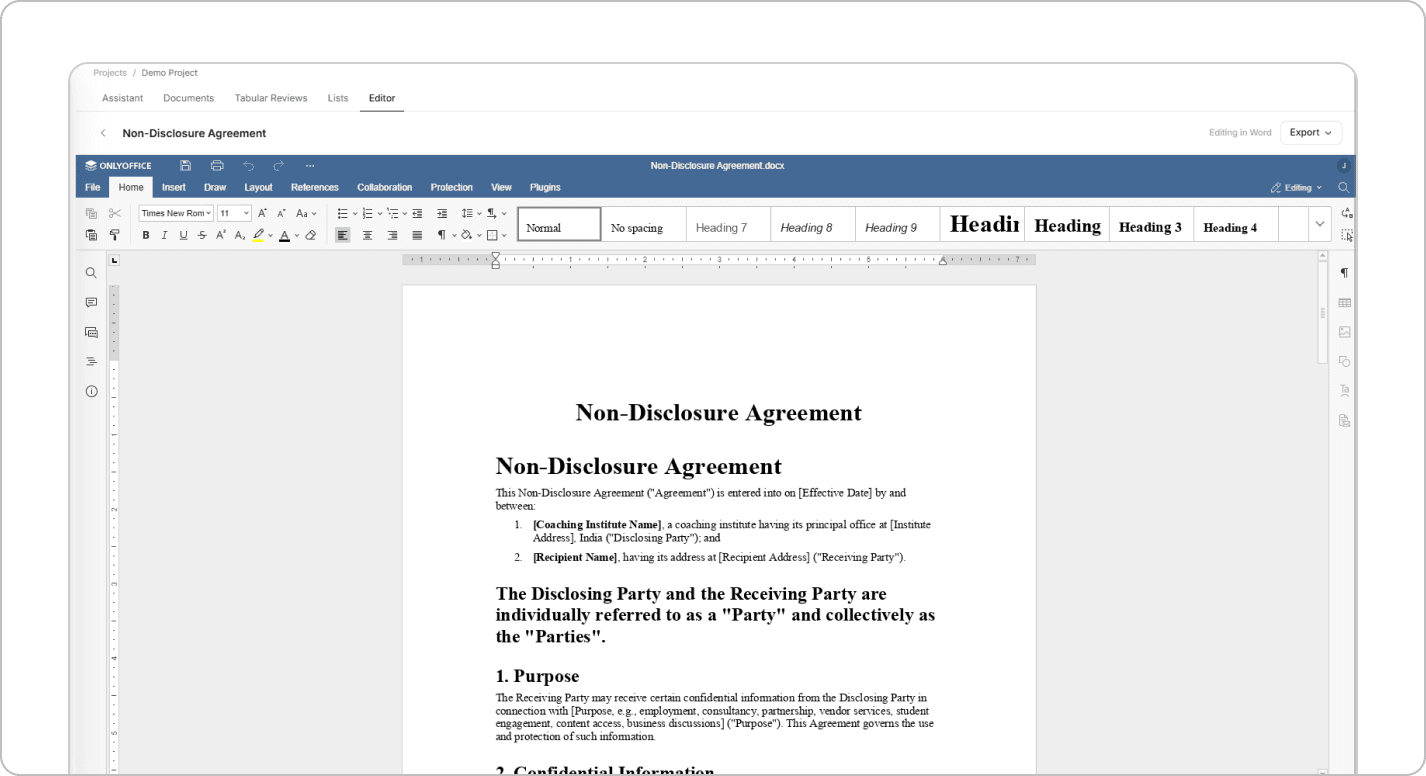
AI Inside Microsoft Word
Install the Juriqa Word add-in once and access the same AI directly inside Microsoft Word. Review clauses, revise paragraphs, or generate new content without leaving your document or switching applications.
Edit Documents in Place
Select any section of text and ask the AI to rewrite, explain risks, or draft new clauses. Every response is inserted directly into your document, eliminating the need to copy and paste between tools.
Powered by Your Firm's Private AI
The Word add-in runs on the same private infrastructure as the Juriqa platform, using the same AI models, firm-specific knowledge, and secure data environment. The only difference is that everything happens inside Word.
Built on Your Firm's Infrastructure
Every workflow, review, template, and document stays within your firm's private environment. Nothing is sent to external servers, ensuring your data remains secure while every result is generated and stored where your firm already works.
Edit with AI
Select any clause or passage and ask for a revision, analysis, or complete rewrite.
Generate Content Instantly
Draft new sections from a plain-language instruction and insert them directly into the document.
Powered by Your Private AI
Runs on the same private infrastructure as the Juriqa web platform.
Built for Word Documents
Works seamlessly with the .docx files clients and counterparties already send.
Work Smarter inMicrosoft Word
About Us